

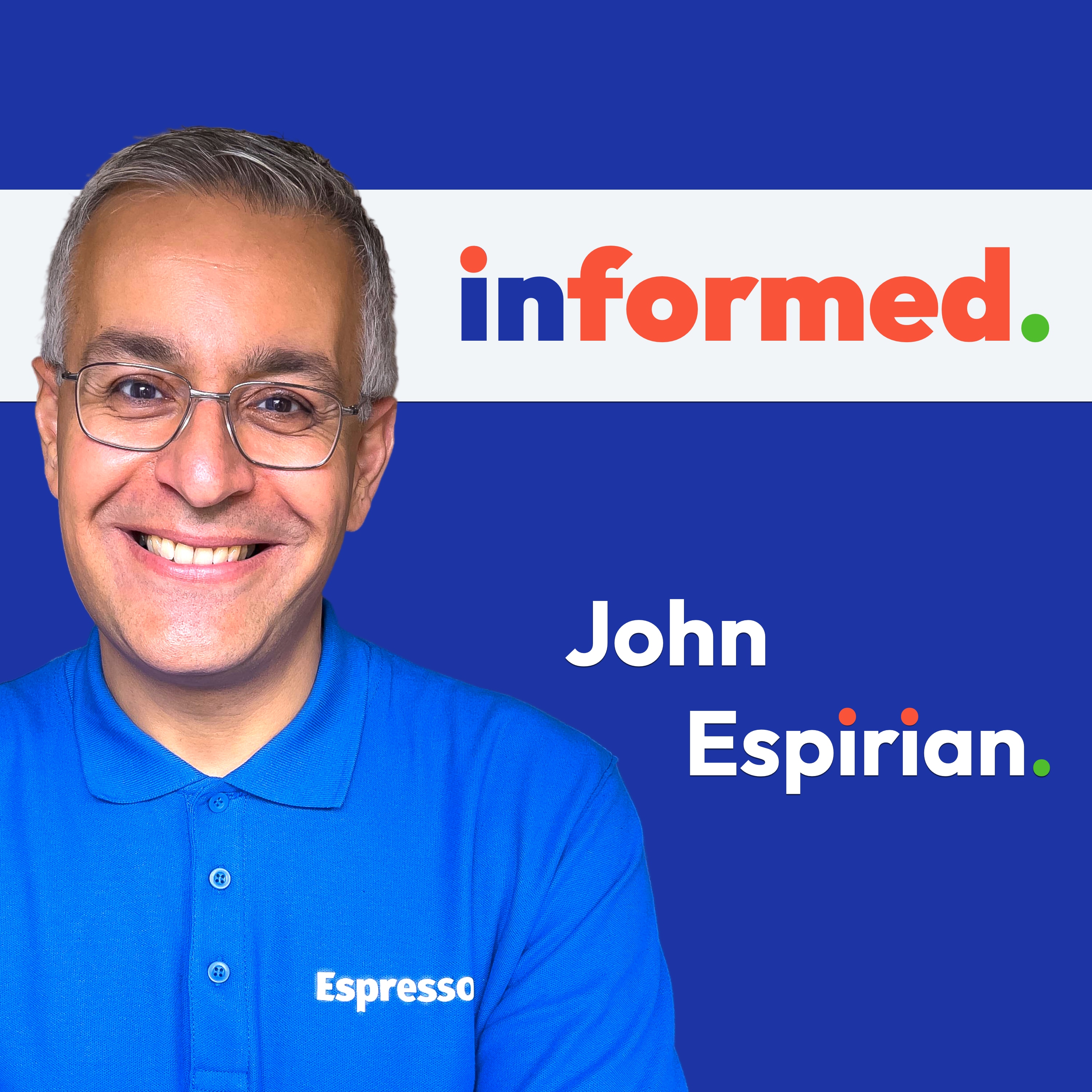
Informed: the podcast for LinkedIn® users
John Espirian
"Informed" is for you if you'd like to understand more about how LinkedIn works so that you can be an effective user of the platform.
It's hard to know whom to believe with so many self-appointed gurus out there telling you the latest hacks for going viral and earning 7-figure deals. And even LinkedIn's own publications often don't speak to the reality of using the platform.
But for those who see past superficial promises and sanitised reports, this podcast provides evidence and thoughtful opinion. With a track record of more than 10 years of sensible, no-nonsense advice about honest best practice for LinkedIn, Informed is a trusted source of insight by many thousands of regular listeners.
The show was created by Mark Williams, who's affectionately known as "Mr LinkedIn". Mark retired in late 2025 and handed over the reins of the show to John Espirian, the relentlessly helpful® LinkedIn nerd. John is a LinkedIn trainer and consultant, the founder of the Espresso+ community, the creator of the UpLift Live conference (the UK's original event dedicated to LinkedIn best practice), and the author of the personal branding handbook Content DNA.
John's reputation is for getting to the point and for not being a salesy douche canoe, so you can expect short, sharp episodes with zero ads or sponsored slots. This also is NOT an interview show, so if you've read this far then please don't pitch yourself for a guest appearance. However, you're welcome to get in touch if you have a LinkedIn question you'd like John to cover on the show. (To do that, search for the "Informed podcast" company page on LinkedIn and send a message.)
This podcast is not affiliated with, endorsed by or approved by the LinkedIn® corporation. John Espirian is an independent trainer and does not work for LinkedIn® – while it would be great to have LinkedIn's endorsement, the show's independence from the corporation means you, the listener, are never fed an airbrushed political spiel.
It's hard to know whom to believe with so many self-appointed gurus out there telling you the latest hacks for going viral and earning 7-figure deals. And even LinkedIn's own publications often don't speak to the reality of using the platform.
But for those who see past superficial promises and sanitised reports, this podcast provides evidence and thoughtful opinion. With a track record of more than 10 years of sensible, no-nonsense advice about honest best practice for LinkedIn, Informed is a trusted source of insight by many thousands of regular listeners.
The show was created by Mark Williams, who's affectionately known as "Mr LinkedIn". Mark retired in late 2025 and handed over the reins of the show to John Espirian, the relentlessly helpful® LinkedIn nerd. John is a LinkedIn trainer and consultant, the founder of the Espresso+ community, the creator of the UpLift Live conference (the UK's original event dedicated to LinkedIn best practice), and the author of the personal branding handbook Content DNA.
John's reputation is for getting to the point and for not being a salesy douche canoe, so you can expect short, sharp episodes with zero ads or sponsored slots. This also is NOT an interview show, so if you've read this far then please don't pitch yourself for a guest appearance. However, you're welcome to get in touch if you have a LinkedIn question you'd like John to cover on the show. (To do that, search for the "Informed podcast" company page on LinkedIn and send a message.)
This podcast is not affiliated with, endorsed by or approved by the LinkedIn® corporation. John Espirian is an independent trainer and does not work for LinkedIn® – while it would be great to have LinkedIn's endorsement, the show's independence from the corporation means you, the listener, are never fed an airbrushed political spiel.
Episodes
Mentioned books

Jun 11, 2016 • 39min
117. LinkedIn’s To-Do List Is Overwhelming
LinkedIn : Too many to-do’s to doVery interesting document outlining why LinkedIn are a bad investment from an Equity Research firm. Here are their main 5 reasons;(1) Lack of key functionality in its flagship Voyager app.(2) Relevance of proposed job openings or “Sponsored Updates” hasn’t improved.(3) A slow ramp to get the right content on lynda.com to make it more attractive to Enterprises.(4) High penetration of Hiring Solutions – translating into slowing growth in FY16.(5) The technical immaturity of Sales Navigator.Other highlights;• New company pages will provide salary data and allow for anonymous employee reviews (similar to Glassdoor). This could provide LinkedIn with a "Tricky balance” to find as many of these organisations are their biggest clients!• The SMB Recruiter product will be slow growth and likely to have a high cost of sales.• 20% of LinkedIn members are students.• Advertising solutions will be opening up their API to third-party operators.• New members are less engaged.• Less than 2% of members upgrade to a premium account.LinkedIn Changes• New Company Page insights.• More information on job postings.Other interesting stuff I saw this week• Is LinkedIn disconnecting us?• Contrary to rumours LinkedIn has not removed the connections download feature.• Some people are reporting a 403 error which may be due to LinkedIn being hyper sensitiveabout suspicious activity following the recent sale of passwords. It may be good advice toreduce activity in the short term until things die down.• The return of the Galek! The interview with our beloved infamous swimwear entrepreneur!• Exaggerated LinkedIn profile question. Mentioned in this episode:This show was created by the original host of the show, Mark Williams.
Jun 4, 2016 • 41min
116. Cold Calling Isn’t Dead….But It Should Be!
Hey! We have a new website! The url is still the same www.linkedinformed.com. Let me know what you think. It's Linkedinformed Episode 116.NewsChanges to LinkedIn How big should your network be? You Want More Business? So Get on the Phone! Interesting Stuff I saw this week How LinkedIn Is Able to Consistently Increase Pricing 'Social worth' and creditworthiness: Need loans? Just raise your popularity level on LinkedIN Question:"Recently, I have noticed my profile views are not good as they used to be. My target keywords are "Engineering Manager" and "Engineering Director". In the past when I search for those phrases my profile was always number one listed. Lately is buried deep down in the list.Mentioned in this episode:This show was created by the original host of the show, Mark Williams.
May 28, 2016 • 47min
115. Don't be a LinkedIn Dummy!
Welcome to this weeks episode where we continue the discussion with Rosie O'Hara we started in in episode 110 regarding 'Words that change minds'.In this show we talk about; How to reply to accepted invitations What sort of message to send to someone who has viewed your profile The dangers of commenting without taking time out to calm down! The recent 'Gracegate' issue where a senior banking executive causes a storm by posting a screenshot of a comment made that she found offensive. Vote for the podcastI would really appreciate it if you could take a few minutes out of your busy day to vote for me in the UK podcast awards.This is a Facebook poll, click here and scroll down until you find LinkedInformed (and Winbusinessin if possible) and vote.As always you can find links, images and everything else mentioned in this episode at LinkedInformed.comThanksUntil next week.... Mentioned in this episode:This show was created by the original host of the show, Mark Williams.
May 21, 2016 • 37min
114. Could Your LinkedIn Login Be Up For Sale?
Would you like to buy someone’s login details for LinkedIn? How do you feel about someone else's buying your login details for LinkedIn? This week’s 114 episode we talk about security.LinkedIn Security Millions of hacked LinkedIn IDs advertised 'for sale’ LinkedIn’s statement about the issue Test your email address here I would really appreciate it if you took a few secs to vote for the podcast by clicking on the link below and scrolling down until you find LinkedInformed and also Winbusinessin. Click here to vote for the show: http://bit.ly/voteforLinkedinformedInteresting stuff I saw this week LinkedIn Buys Run Hop, Seeks to Make Feeds More Engaging LinkedIn help refugees find jobs in Sweden Why I Write On LinkedIn - And It’s Probably Not Why You Think I Do Cool ThingThis week’s cool things are 1Password and Dashlane. Store all your passwords, PIN codes, documents, credit cards and more. Automatically log in on every website and every device.AFQThis week’s question comes from Paul Copcutt via voicemail who’s asking if there’s an issue with the formatting of a published post on LinkedIn.Here are the images Paul sent me of the issue:How it looks when editing. Mentioned in this episode:This show was created by the original host of the show, Mark Williams.
May 14, 2016 • 43min
113. The Danger of Legal Precedent.
How would you feel if when you joined a company they asked you to changed the name of your LinkedIn profile from your name to the company name and when you left that company, you are then required to close that account down? This week I talk with Greg Cooper about an article from a top law firm that suggests the above as best practice!Mentioned in this episode:This show was created by the original host of the show, Mark Williams.
May 7, 2016 • 41min
112. LinkedIn Steady the Ship after solid Q1 Performance
Welcome to episode 112.Investors are now speaking more positively about LinkedIn Shares after a solid performance in Q1 2016. For this episode I’m going to dig deeper into those results and find out what else we can learn about where LinkedIn are heading.Mentioned in this episode:This show was created by the original host of the show, Mark Williams.
Apr 30, 2016 • 41min
111. The Mobile Dilemma
Welcome to episode 111, more of themobile dilemma later but I want to start with an ongoing issue thateveryone seems to be talking about; It’s NOTFacebook! LinkedIn is clearly different toFacebook in that it is a business & professional network butit’s not different in that it is a network of people and it’ssocial!Rather than complain aboutinappropriate posts wouldn’t it be better to pay more attention tothose connections who are posting more interesting content andbuilding stronger relationships with them?I saw a comment this week which Ithought hit the nail on the head; How about you focus on what youdo, what value you bring, who you help, who you identify, contactin an authentic not all-about-you-and-what-you-want way, meet inperson, build rapport, work out how you might help eachother.The key is to understand, trulyunderstand what you want out of being on LinkedIn (& out ofBusiness/Professional networking in general) and then... realizeit's all about people, other people. Get good at researching usingLinkedIn and 'what's in my feed' will be less of concern to youbecause that won't be where you find the value. The value will bein what YOU do. Well said! Interesting stuff I saw thisweek Lynda is now available on AppleTVRecruiters welcome updated LinkedIn RecruiterproductLinkedIn passes 20 million users inChinaLinkedIn top execs harvest payraises I also came across this legend ofbusiness on LinkedIn this week!LinkedInchanges Some people are seeing the number offollowers on profiles rather than connections, this might be anexperiment, I don’t have it yet but it could just be in the earlystages of being rolled out. We can now ‘like’ comments in statusupdates It is now possible to removeyourself from a group conversation in Messages The Field Of Study search is beingdiscontinued on May16th. This weeks cool things is anotherfree Chrome extension called Prophet.This handy tool will often be ableto locate the email address of people you find onLinkedIn. AFQThis weeks question came from JamesMuir regarding the issue of only seeing the last tennotifications. James didn't specify whether thiswas a desktop or mobile issue, so I have answered both; Mobile I suspect this is what you mean as Ionly see the last ten on my app. You can refine which updates you seein the app notifications in your settings, this is done asfollows; Go to the 'Me' section and click onthe settings 'cog' as below;Now tap on 'Communications' and select 'Pushnotifications' as below; This will allow to reduce the amountof less important notifications appearing in your last 10.Alternatively, you can ensure that you receive emails to alert you(see desktop solution below) Desktop Firstly I am not experiencing thesame issue on my account, I can see numerous updates going backweeks. This may just be that the changes haven't reached my accountyet or it may also be a short-term glitch on your account. I knowthat contradicts what the help center told you but it won't be thefirst time they have given out incorrect information!It is certainly worth logging out,clearing cookies and trying again. If you haven't already doneso. Secondly, there are a number of waysaround this; If you are mainly interested inresponding to activity/comments on your updates and activity thenyou should be able to do this by viewing your activity. Go toProfile>Your updates - there you will see the last 2weeks. Alternatively, you could refine yournotifications by unsubscribing to certain ones that are of nointerest to you, this would mean that more of your important oneswill show in the last 10. This is done by clicking on the 'x' inthe top right of a notification. Finally, you can compensate for thelack of notifications by adjusting your email settings> Go to settings> Select'communications'> Select 'Emailfrequency'> Select'Notifications'> ensure 'Comments on posts youpublish' and 'Summary of your notifications' are set toon That’s it for this week, please feelfree to get in touch if you have any questions you would like me toanswer on the show. Have a great week. Mentioned in this episode:This show was created by the original host of the show, Mark Williams.
Apr 23, 2016 • 42min
110. Words That Change Minds
Welcome to a new episode. This week I thought it was time for a change in format and it's been quite a while since I did an interview so please let me introduce Rosie O'Hara.Rosie talks about her experience of how the words we use (specifically on LinkedIn) can have a significant effect on how others react to us when we send invitations to connect and other LinkedIn messages.Edited 9 November 2025: this episode should have mentioned Shelle Rose Charvet, author of the book Words That Change Minds. Apologies for the oversight.Mentioned in this episode:This show was created by the original host of the show, Mark Williams.
Apr 16, 2016 • 34min
109. "Mangers Beleive in Categories!"
Welcome to a new episode of the LinkedInformed podcast.I seem to have had a frustrating week with LinkedIn - glitches and weird mystery settings have somewhat go in the way of productivity! LinkedIn Typo’s I was working with a client this week and spotted several spelling mistakes in their LinkedIn profile. This person is highly intelligent and definitely knows how to spell, The problem is they didn't take their time and pay attention to detail when writing their profile.This got me thinking about how common this might be so I conducted searches for some commonly misspelt words and here are the results; Mangers (Managers) Here are the companies with the most Mangers! Catagory (Category) Beleive (Believe) And then there are plenty like this!! Seriously though, it’s obviously easily done. Check your profile carefully, double check it and then get someone else to check it!You only get one chance to make a first impression with your profile, make sure it’s the right one! The 5C Business Development System is now for sale!….and for a limited time it’s discounted by a massive 63%! I’m really proud of this course, I was looking at some of the earlier lessons and I actually started recording the videos 9 months ago! It’s taken a lot of work to get to this position and it doesn’t end here as I will need to update all the ‘settings’ lessons with the new design.The 5C system contains 5 modules as below;In total there are 65 videos covering every aspect of using LinkedIn as an effective business development tool.I’m very excited to see how people react to this course and I hope you can take advantage of the limited time launch price (just £146 but only for the next 7 days, then it will be £396). I am also giving away a free e-book to those who expressed an interest in the 5C System.Click on the Image below to get your free LinkedIn toolbox. Interesting stuff I saw this week Job seekers getting caught up in online scamsWill This Year’s College Grads Job-Hop More Than Previous Grads?How dare you put that on LinkedIn! Cool Thing TyporamaImages are critical to the success of status updates so I strongly advise using images in the majority of your updates.A fantastic tool that can help you produce great looking images is Typorama. I produced the image below in seconds as well as the main header image of this page.AFQ Question: LinkedIn has removed messaging someone before accepting their connection request. Apart from using InMail is there another way to send them a message before choosing to accept or not? Answer: LinkedIn haven't actually removed this feature but they have made it harder to find!On the Mobile app you can only reply to a customised invitation but on the desktop version you can reply to any invitation before accepting as follows;Hover over the invites icon (top right) and click on ‘see all’ as below; 2) Now hover over the speech bubbles in the top right of an an invitation card and click on the arrow to reply Now I have a question for you!Whilst updating the settings lessons in my 5C training system this week I came across the following new setting in the communications section. This is found under Communications > Basics > email frequency > NotificationsI have no idea what this setting controls! Any ideas?I’m wondering if it might be notifications about people viewing my profile but if so it’s a very poor and misleading title!I have asked LinkedIn and they seem stumped! Someone is running around trying to find the techie who wrote the code to get a definitive answer…..it’s been 3 days so far!Mentioned in this episode:This show was created by the original host of the show, Mark Williams.
Apr 9, 2016 • 34min
108. It’s not about the numbers folks
Welcome to a new episode of the LinkedInformed podcast.I have had an exciting and rewarding week with the successful launch of mine you social selling and business development e-learning programme.The 5C Business Development System is now for sale!….and for a limited time it’s discounted by a massive 63%!I’m really proud of this course, I was looking at some of the earlier lessons and I actually started recording the videos 9 months ago! It’s taken a lot of work to get to this position and it doesn’t end here as I will need to update all the ‘settings’ lessons with the new design.The 5C system contains 5 modules as below;In total there are 65 videos covering every aspect of using LinkedIn as an effective business development tool.I’m very excited to see how people react to this course and I hope you can take advantage of the limited time launch price (just £146 but only for the next 7 days, then it will be £396).I am also giving away a free e-book to those who expressed an interest in the 5C System. Published posts lose view numbers….Does it matter? I noticed this week a change to publish posts in both the main mobile app and the pulse app.Publish posts are no longer showing the number of views in these apps. Interestingly for now anyway, posts on the desktop version of LinkedIn are still showing view numbers This got me thinking….. Does it really matter how many people view our posts? Surely a post that has a low number of views but a higher number of comments and likes is better than one with high views and low engagement?Maybe this is where LinkedIn are going with this……. Or maybe it's just a glitch!I think I would still like to see the number of views but I definitely think we should all be concentrating for more on engagement statistics.I also refer to this is the AFQ section below. Interesting stuff I saw this week LinkedIn Launches Private Cloud for GrowthMy name is Barbara Roberts but please call me Barbie!!Social media use and depression linked in large studyLinkedIn has snazzy new offices in San Francisco (see pics below) Cool Thing Profile views extensionEspecially useful if you are notion a premium account but you are also able to see past 90 days so potential of use to premium members as well.And of course, it’s free!AFQ Question: How do I get more views of my published post. I am averaging about 100 per post which doesn’t seem very much.Answer: Firstly referring to my point earlier, views are not the key measurement to worry about - the aim with content is to develop relationships and trust and this is largely done through engagement (comments).That said, you need the views to get the engagement so here are my thoughts;Getting more views involves a planned 'marketing' exercise that should look something like thisMake the post engaging. Ask questions to encourage comments and always reply to any comments, this helps with distribution. - Don't rely on notifications to get views. Always post status updates to promote your post, ideally using a large, attractive image. (type the update, paste the link to the post then delete the link with the thumbnail image and add a large image (quite possible the same one) in it's place. This will be 5x the size of the thumbnail. Repeat this status update across several days and at different times. Sharing OPC (other people's content) allows you to share more of your own. If all I see from you is (perceived) self promotion then I switch off, if however 60% of what I see (your updates) is OPC and clearly helpful to me then I will take more notice of your own content. Be persistent, views take time to grow - overnight success is rare and mostly luck. Make sure your follower settings are set to 'everyone' In summary, posts need to be widely distributed via a series of status updates plus Twitter and Facebook posts if appropriate.Mentioned in this episode:This show was created by the original host of the show, Mark Williams.

